
Lending & growth
Digital Lending App
Digital lending, from the customer’s first step to your operational review.
A customer-facing lending app with configurable onboarding, identity checks, eligibility assessment, loan agreements and repayment visibility, supported by a lender management dashboard.
Plan your product walkthroughA customer-facing mobile experience brings the application and supporting information together.
From the customer’s phone
to the lender’s working view.
Explore how customer self-service, consent and loan history sit alongside the application queues and dashboards used by the lending team.
A useful starting point after the loan is booked.
The mobile home brings common customer actions and a loan summary together, so the experience continues beyond the initial application.
- Entry points for applications, transactions and existing loans
- A repayment summary with next-EMI and amount-due fields
- Payment and customer-care entry points visible in the supplied interface
Privacy-edited screen. Customer loan references, repayment values and selected client-specific labels are masked; payment services depend on the agreed integrations.
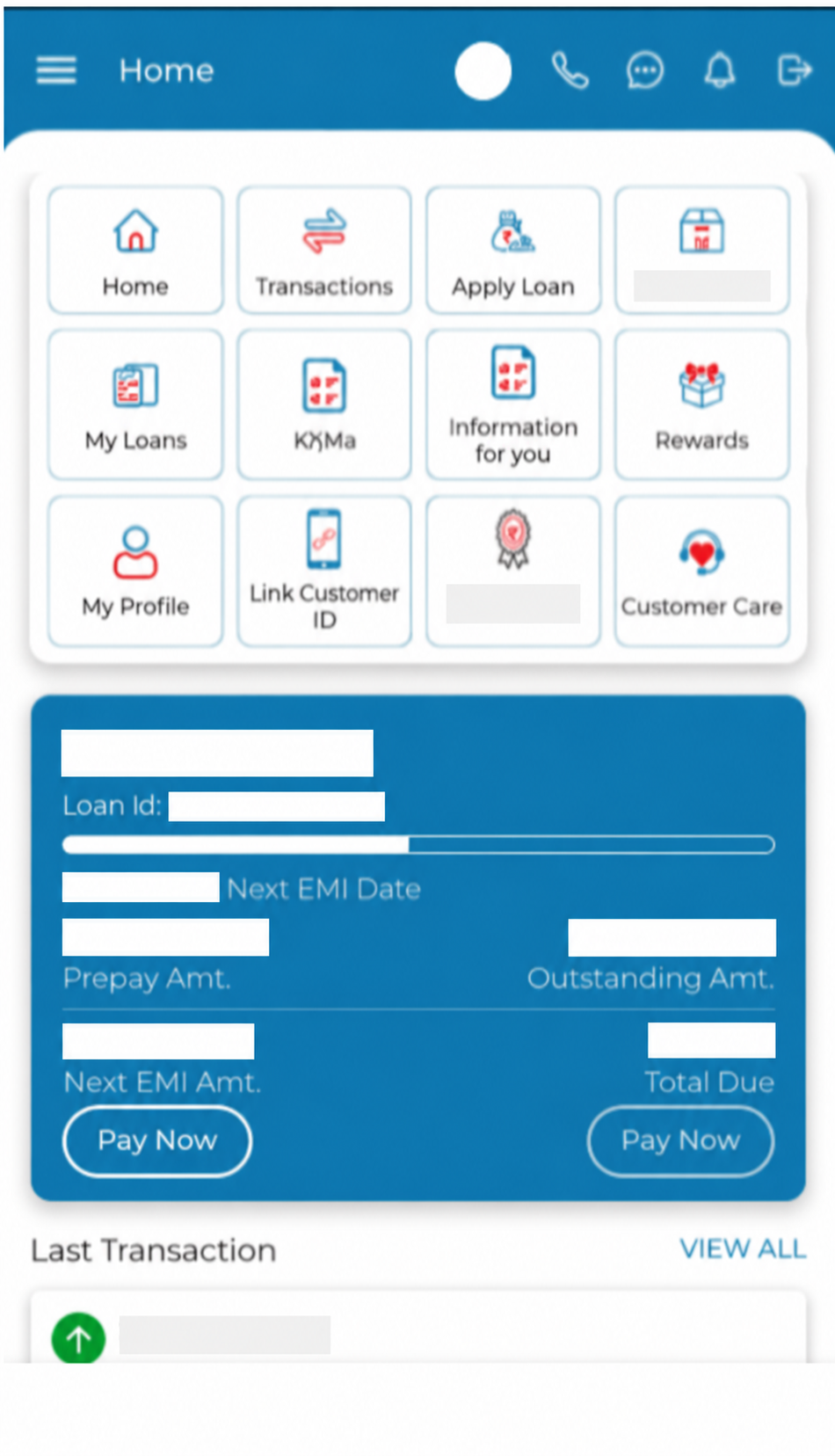
These screens illustrate a configured implementation. Three views have been edited to mask customer data and client-specific details; small visual differences may occur in edited copies. Capabilities, disclosures, reporting definitions and integrations are confirmed for each lender.
What better could look like
Make the next customer step clearer
Guide the customer through configured capture and verification.
Keep the lender’s review connected
Organise application status and required information in the management view.
Maintain visibility after the application
Provide the relevant loan and repayment information to the customer.
Customer
Completes the configured application journey.
Lending operations team
Reviews application status and supporting records.
Product administrator
Maintains agreed products, rules and permitted locations.
Management reviewer
Examines disbursal and repayment reporting.
Two views. One lending journey.
Connect the customer experience with the lender’s operating responsibilities.
Customer onboarding
Guide the customer through language, mobile verification and required information.
TO EXPLORE
A lending journey the customer can follow
A digital loan application is a sequence of decisions and handovers. The customer needs to understand what information to provide and what happens next. The lender needs a complete application, a consistent assessment process and visibility of work that has stopped or needs attention.
Arukus Digital Lending App brings those responsibilities into a customer-facing mobile journey and a management workspace. The application can be configured for NBFCs, MFIs and fintech lenders, with the products, eligibility rules and system connections agreed for the institution.
Onboarding and identity checks
The journey begins with a choice of regional language and mobile-number verification through OTP. Customers are guided through the information and documents required for their application. The workflow includes consent steps, Aadhaar eKYC, Voter ID capture and confirmation, and a selfie for identity cross-verification. Co-borrower information and verification can also form part of the application.
Identity, credit bureau and payment services depend on the approved providers, access arrangements and configuration chosen for the deployment. The implementation should reflect the institution’s current requirements and applicable provider permissions.
Eligibility with the assessment context intact
The application captures personal and household information, income and recurring expenses. The workflow also supports household images with object recognition and a location check against configured distance criteria. These steps can be assessed against the lender’s data needs, consent model and operating rules.
Credit bureau information and income and expense details feed the configured eligibility assessment, including Fixed Obligation to Income Ratio (FOIR). The customer can view the eligible amount, repayment tenure and EMI, with the applicable fees and insurance details where included. Eligibility calculations support the lender’s defined credit process; they do not remove its responsibility for authorised lending decisions.
From an agreed offer to disbursal
The subsequent workflow covers bank-account verification through a penny-drop check, review of loan documents, OTP-based e-signature and a repayment mandate. An agreed connection to the core banking system supports the disbursal handover to the customer’s bank account.
Each interface needs a defined source record and a response when verification or a transfer does not complete. Those details are established with the institution and its service providers during implementation.
Visibility after the application
The customer dashboard brings together application access, current and past loan information, transaction history, the loan ledger, payment schedules and notifications. The customer experience also includes cross-sell offers, profile management and access to customer support.
For management, dashboards organise applications by status, including incomplete, rejected and approved cases. Teams can review customer activity, disbursal volumes and ticket sizes, and download repayment reports by the relevant organisational and date filters. User access, permitted service pincodes and eligibility criteria are configurable.
Configure the product around your institution
Product settings include interest rates, processing-fee rates and tax parameters. The implementation can also configure KYC capture, required data fields, activity steps and user assignments. Eligibility settings can reflect FOIR, days-past-due criteria and relevant co-borrower or family credit information, according to the agreed lending policy.
A useful demonstration follows one application from onboarding to its management review. Bring the loan products, assessment criteria, service-provider interfaces and reporting you need so we can distinguish available configuration from integration and additional development.
Discuss a Digital Lending App demonstration, explore the Loan Origination System, or review our MFI and NBFC applications.
What we can cover in a walkthrough
- Onboard
Select a language, verify the mobile number and review the required information.
- Verify & assess
Complete configured identity checks and provide the information used for eligibility.
- Review & authorise
Review the offer and documents, complete verification and the agreed signing steps.
- Disburse & follow
Connect the approved handover and keep loan and repayment information visible.
Useful examples to bring: Loan product; eligibility rules; identity and payment provider details
Two views of the same lending journey
For customers
A guided journey brings required information, verification steps, loan documents and repayment information into the app. Regional-language configuration helps the institution shape the experience for its intended users.
For the lending team
A management view brings incomplete and processed applications into focus, with configurable eligibility rules, permitted service locations and disbursal and repayment reports.
Questions for a considered decision
How is this different from the Loan Origination System?
The Digital Lending App focuses on the customer-facing mobile journey and its management dashboard. The Loan Origination System addresses the institution’s configured application workflow. We assess the fit and connection between them during discovery.
Which services need integration?
The presentation describes identity verification, credit bureau checks, bank verification, e-signature, repayment mandates and a core banking disbursal handover. Availability depends on the chosen providers, access and agreed implementation.
Does the app guarantee regulatory compliance or loan approval?
No. The application provides configurable workflows and information for the lender’s process. The institution must establish its current policy, consent, provider and regulatory requirements, and retain responsibility for authorised lending decisions.
Who provides the identity, bureau and signing services?
Provider selection, subscriptions, access credentials and permitted data use are agreed with the lender. We review the available interfaces and identify the integration work needed for your chosen journey.
How do we evaluate the customer and lender experiences together?
Walk through one application from mobile capture to dashboard review, including a failed verification and a request for more information. Confirm how each party sees the next required action.
What does implementation involve?
We agree configuration, data preparation, required interfaces, acceptance examples, training and rollout responsibilities. The delivery plan follows the scope.
How are deployment and integrations decided?
We review the chosen product, available interfaces, hosting requirements and operating owners. A named external system is not assumed to be connected out of the box.
Capabilities to explore in your walkthrough
- 01Regional-language onboarding and mobile OTP verification
- 02Customer and co-borrower identity and document capture
- 03Credit bureau checks and configurable eligibility criteria
- 04Household income, expenses and FOIR-based assessment
- 05Bank-account verification, e-sign and repayment mandate workflows
- 06Loan ledger, application status and repayment visibility
- 07Management dashboards, disbursal and repayment reporting
- 08Product, geography and workflow configuration
A practical next step, when the process is ready.
Further AI assistance could be explored for incomplete-application summaries or document preparation, with source checks and lender review before use.
Discuss an AI pilotSee Digital Lending App in the context of your business.
Bring a sample process, a recent operating report and the people responsible for the work. We will focus the walkthrough on your requirements, available configuration and implementation scope.
Plan your product walkthrough